
Like most game developers, I am mainly a Windows user. Not so much by choice, but just because it is the default that most tools and basically all the games are developed for. That being said, I also never was an actual Windows hater. Sure, Microsoft was never the likeable underdog company that I would cheer for, but for the most part, using Windows was fine. Sure, the file search is completely broken for over 15 years now, but it mostly works. I sometimes used a Mac back in school, and even though I wasn’t accustomed to it, Macs also work fine. Of course, you can spend a lot of energy arguing about all the thousands of small differences between the different systems, but as someone who mainly used his computer to get things done that I wanted to do, I never seriously considered to switch camps.
Why now?
While it was historically almost impossible for game developers to use any other OS than Windows things have changed in the past years. Emulation layers like Wine and Proton made running games under Linux an actual possibility and many tools like Unreal even offer native Linux versions by now. Even my favorite profiler Superluminal recently teased an upcoming Linux version, which up until now is the only program that I wouldn’t have a good replacement for.
One pleasant side effect would be reducing my dependence on big tech companies located in the U.S., which I have lost a lot of trust in over the last year. I am not fond of being completely dependent on tech companies based in a semi-authoritarian state, and the idea that the current US administration could pull the plug at any time is unsettling. That being said, it’s not feasible for me to stop using American technology completely and instantly. However, you have to start somewhere, and reducing the number of potential points of failure is a win in my book.
Starting the process
As mentioned, I’m not really able to completely switch my main OS for multiple reasons, so for now, I decided to just set up a test case on an older laptop that I have lying around. Due to it’s age, it’s not exactly a machine that you want or should choose for Unreal developing work, mainly due to it’s low amount of RAM (16 GB). But I know that it can handle basic blueprint projects, since that’s what I used it for during teaching at the Media University in Cologne.
The main goal of this experiment is to get a working Unreal Engine environment up and running, including a working IDE for development with C++. Especially the last part will probably be unbearably slow on this specific machine, but this is expected and was already an issue when I used this machine under Windows 11.
For the distribution I decided on Kubuntu, a “flavor” of Ubuntu, one of the most commonly recommended distributions for beginners. So if I should hit any roadblocks the internet should be likely to have some information on it already. Officially Epic even recommends Ubuntu but since I already tinkered a bit with Ubuntu in the past, I thought it would be interesting to try a different distribution to see a bit more of the Linux World. (In hindsight, this decision turned to out to be a mistake).
The installation via USB stick went mostly fine, main difference to the windows installation process is the missing step of creating a Microsoft account – A small, but welcome plus in my book.
Even though I would I love to compile the engine myself I decided to go for pre-compiled binaries for the first round. Since the Epic Games Launcher still doesn’t have a Linux version, those need to be downloaded manually from Epic’s website. While the download was running, I decided to use study Epic’s official documentation for development under Linux. At this point my mood took it’s first hit.
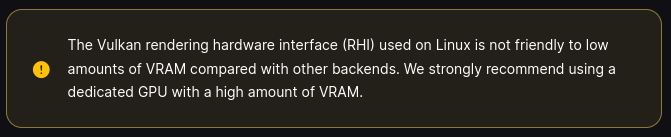
My laptop does not have not have a high amount of VRAM, the outlook that Linux might have even higher hardware requirements than Windows 11 was the last thing I expected. But I since I planned to use the system for simple test projects only, I guessed that should be fine. (In hindsight this also turned out to be a mistake).
Drivers
The first launch of the Unreal Editor started with a warning message that my Nvidia drivers might have known issues and I should install the newest ones. Not a huge surprise, even as a Windows user I knew Linux and Nvidia didn’t have the best relationship at times. Checking the first place I can think of to look for the latest drivers – Nvidias official website – confirms this. It’s not that often that a company warns you of using their own software, right above the download button:
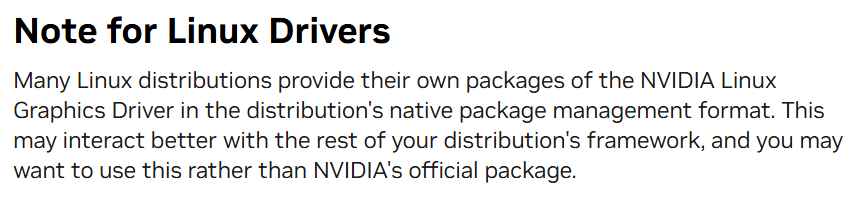
So I tried Kubuntu’s package manager instead, that happily installs and downloads the drivers, even without the scary screen flickering during the install process that I’m used to on Windows.
Opening the editor
Now the editor finally opened, but already during the initial project creation, I stumbled over the next problem: Menu rendering
For some reason all menus (including dropdown ones) and tooltips are rendered at the wrong location, and are barely clickable. Using the keyboard, it’s possible to navigate them but it’s still far away from being usable.
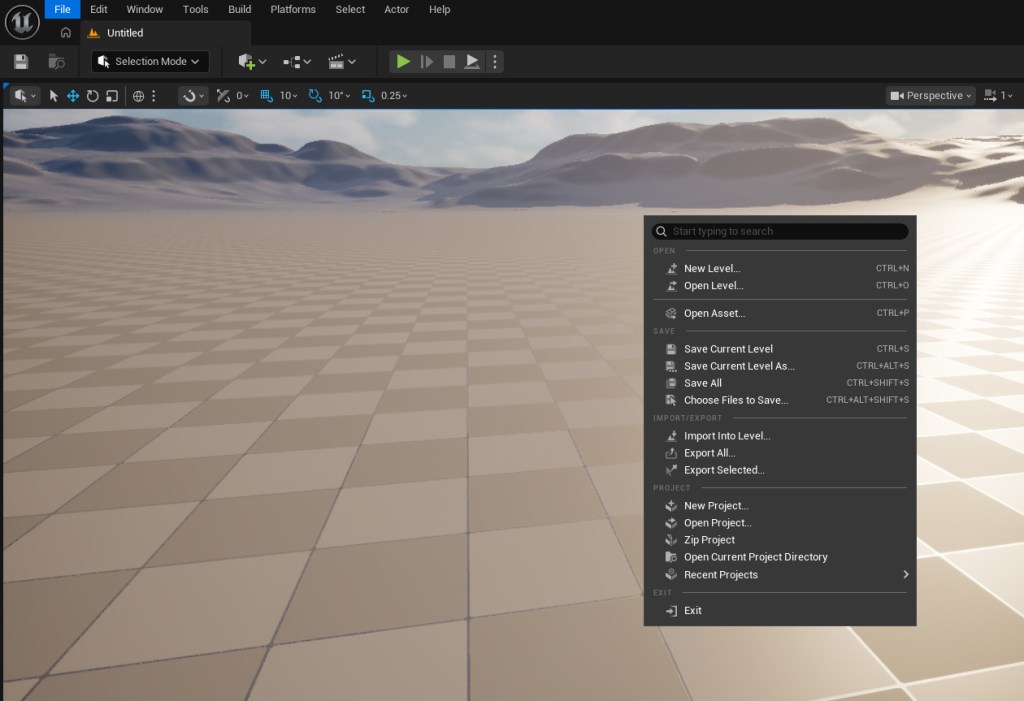
Besides the menu issue, the editor seems to work fine, the RAM consumption is lower than expected, and even the framerate sits at a stable 60 (the default limit for laptops).
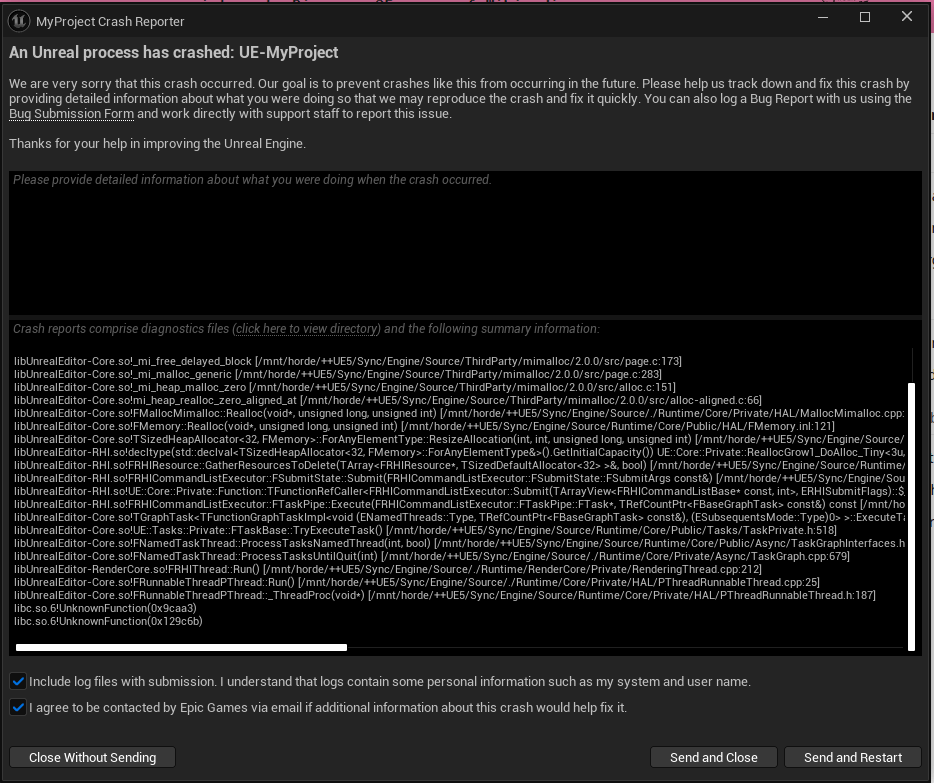
Well at least for a while, before I got my first crash. Not really shocking in itself, but the fact that I get the same crash with the same callstack a few minutes later, worried me. Together with the rendering issue I now had already two reasons to begin to debug the engine.
Getting the source
The only issue is that to be able to do this I’ll need to compile the engine myself, which is already a time consuming process in my familiar Windows environment. I started with installing the recommended IDE for this, Visual Studio Code with the required extensions for C++ and C# projects. Compiling shouldn’t have been an issue by now, but the next step, getting the source code, was a much more time consuming endeavor than I thought.
Finding a Git client
Under Windows, my usually used Git client is GitHub Desktop, but that one doesn’t provide a Linux version, which is also the case for my second choice, SourceTree. Time to find an alternative in Linux land.
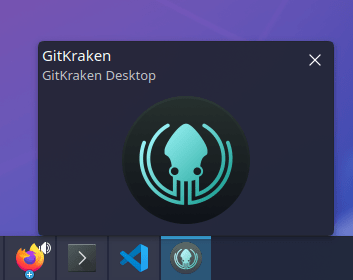
My first attempt started with ‘GitKraken Desktop’, which seems to be a popular choice. For me personally, the installation process worked fine, but after this point, nothing worked at all. On starting the program, the taskbar (which confusingly is called task manager by Kubuntu) shows an icon as if the program was running, but no window is to be found:
For my second attempt I downloaded “gitg”, which started without issues, but also failed to clone the Unreal repo, just returning an “unknown error”, very helpful. For a short moment I considered troubleshooting the issue, but since the package manager is still open, I decided instead to jump directly to the next git client on the list.

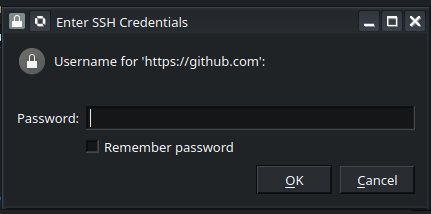
For the third attempt I decided to use “Git Cola”, mainly due to it’s amusing name. The good first impression was only brought down a notch by the confusing login UI that uses a password field to ask me for my username:
And similarly to gitg, it also failed to clone the repo:

My last attempt was to use Visual Studio Code itself, which has built-in git support. This seemed to work better, since it at least started cloning the repo without any error messages.
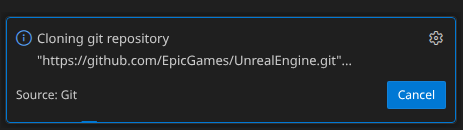
But while VS Code was happy to start the cloning process, it apparently enjoyed it so much that it didn’t want to end it. After over 7 hours of downloading it was still happily cloning away like there was no tomorrow.
No Git for now
Since it became apparent that VS Code’s Git tool and I wouldn’t become friends, but I still wanted to compile the engine, I finally faltered and downloaded the source code as a zip file. Yes, completely outside of any version control, like a mad man. Well, at least it worked.
Compiling the engine worked surprisingly fine, especially considering the power (or the lack thereof) of my test machine.
Running out of memory and killing processes
The underpowered hardware did, however, become a problem when starting the editor again. Even though the RAM usage of the editor itself was fine in general, this wasn’t the case during the initial shader compilation, during which Unreal spawns multiple shader compilation workers to compile the shaders on all available cores. As a result, the system quickly ran out of memory during the editor start up. The Linux kernel “solved” this issue by killing the Unreal Editor process. Admittedly, this “avoids” the memory shortage, but is also not what I, as a user, wanted.
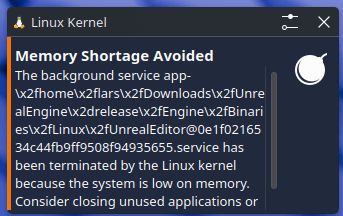
Admittedly, it’s more an issue of my weak machine than a Linux issue, but Windows would at least continue to run all processes that I started by using virtual memory on my SSD. Yes, it might be slow, but I prefer a slow program over a crashing one.
As a solution I just killed half of the mentioned shader compilation workers via the TaskManager (aka System Monitor as it is called in under Kubuntu). This increased the shader compilation time, since the other workers had to pick up the slack, but also avoided the high memory spikes and enabled me to get back in the editor.
Back to square one and a cautious outlook
The actual reason why I compiled the engine, the Vulkan crash, didn’t show up from this point on, which left me only with the menu issues.
But before I could actually start investigating them, something interesting happened: A former student of mine wrote me about the exact same issue, and other than me she had actually done some research: Apparently the issues arose from Unreal’s recent upgrade to SDL3 and it’s issues with Wayland. For more details you can take a look in this article of official documentation or, if you are interested in workarounds, read this article.
Since I didn’t invest too much time yet into my fresh Kubuntu system, I decided against trying any workarounds and instead decided to use Ubuntu, which, if the linked Unreal documentation is correct shouldn’t have those issues.
Installing and setting up the system went way smoother on this second run, and after just around an hour I could finally launch the Unreal editor under Ubuntu. This time with fully working menus (but a broken taskbar icon):

I still need to get around to compiling the engine myself under Ubuntu, too, but considering that this whole experiment was supposed to take a weekend instead of three, I’ll take a break for now.
Will I continue to use Unreal under Linux? Maybe, but for now it will remain a side project. After all, I know that I can still work more efficiently and faster in my familiar Windows environment. But it’s good to know that I could switch, just in case Microsoft continues to force more Copilot into my life. And If you have some time to spare and similar thoughts about Microsoft as me, maybe you should try, too. Just make sure to stick to the recommended distribution from the beginning 😉
If you found this article interesting to read consider following me on BlueSky, Mastodon or even LinkedIn. Or, if you are old-fashioned, you can even subscribe to my blog further down below and recieve a shiny mail everytime a new post of mine hits the interweb 🙂







 Larst Of Us
Leave a comment